Product
How EquiCore works
EquiCore follows the shape of real EAS work: you set up a client, take a baseline, document sessions as they happen, and the platform turns that record into scored outcomes and a report a funder will accept. Nothing here asks you to document differently than you already think about your clients — it just makes the result provable.

Walkthrough
From intake to funded report
- 1
Intake and client setup
Create the client record once: demographics, referral source, goals, guardian contacts, consents. Intake forms map directly into the record, so nothing has to be retyped later.
Client filesJ. Alvarez11 sessionsUpdated todayK. Boone6 sessionsUpdated 2d agoR. Simms24 sessionsUpdated 5d ago - 2
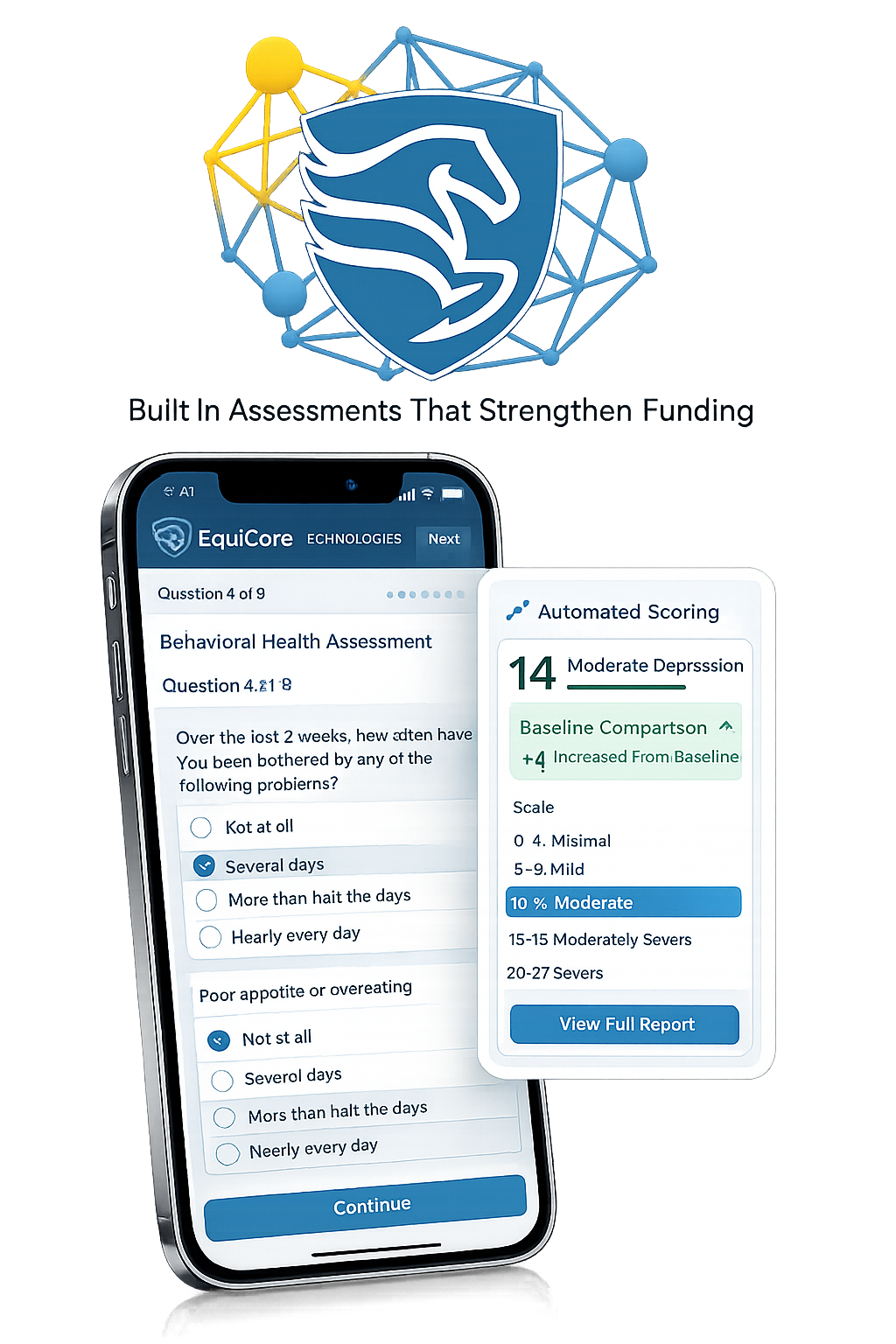
Standardized baseline assessment
Capture a scored baseline before the first mounted or ground session using consistent instruments across your practice. This is the number every later report compares against.
- 3
Session documentation
Log each session in a structured note — objectives worked, horse involved, observed behavior, and post-session scoring. Fast enough to finish before you leave the barn.
Baseline vs. currentEmotional regulation34 → 82Task persistence41 → 74Peer interaction28 → 61 - 4
Automated progress tracking and scoring
EquiCore charts each scored session against baseline automatically. Trends, goal attainment, and flat or declining measures surface without anyone building a spreadsheet.
+48 vs baselineEmotional regulation score
82 / 100
Wk 1Wk 3Wk 5Wk 7Wk 9Wk 12Dashed baseline captured at intake (34). Post-session scores logged each visit.
- 5
One click grant ready report export
Select a date range and a client or program, and export a formatted outcome report with baseline comparisons, session counts, and narrative summary — de-identified when needed.
Outcome report · Q3 grant packetSOOFA Ranch — Youth Program Outcomes
38
Clients served
+41%
Avg. gain
412
Sessions
De-identified export ready for funders
Capabilities
What's in the platform
Never hunt for a client's history again
Centralized client files: one record per client holding intake, consents, assessments, session notes, and attachments.
See who's progressing and who's stalled
Outcome dashboards show a single client's trajectory or your whole caseload at a glance, updated as notes are filed.
Skip the manual math at report time
Baseline vs. post-session change is scored for you — no spreadsheets to reconcile, no numbers to re-key.
Answer a funder's request the same day
PDF and CSV exports already formatted for funders, boards, school districts, and referral partners.
Write the note before you leave the barn
Works on laptop, tablet, and phone, so sessions get documented in the arena instead of from memory that night.
Pass a compliance review with confidence
Role-based access per practitioner and per client, with an audit trail of every record change.
Comparison
Without EquiCore / With EquiCore
| Without EquiCore | With EquiCore | |
|---|---|---|
| Documentation | Spreadsheets, paper folders, and memory | One structured record per client, filed the same way every time |
| Outcome proof | Anecdotes and estimates | Scored baseline vs. current, tracked session by session |
| Grant reporting time | Hours to days of manual assembly | Minutes, from an existing export |
| Institutional credibility | Partners can't verify what they can't see | Verifiable, consistent data you can hand to a district or funder |
| Team visibility | Directors chase practitioners for updates | Program-level view across every practitioner and site |
Walk through it with your own client file
We'll open the platform against a real case from your caseload and show you where it fits — and where it doesn't.